
Every supplier invoice that arrives means someone opening it, typing the details into a spreadsheet or accounts system, checking the sums and filing the original. For a small business that adds up to hours every month. The good news is that you can automate invoice processing without a big finance system or an IT team.
This guide explains what invoice processing involves, what doing it by hand really costs, how automated invoice processing works, how to deal with paper invoices and PDFs, and how to set it up in five steps.
- ✓To automate invoice processing, send every invoice to one place, let software read and extract the details, check the exceptions yourself, and have the results recorded automatically.
- ✓Paper invoices can be included by scanning them in bulk with a document scanner.
- ✓You don’t need an accounts system to start: many small businesses automate straight into a Google Sheet, then import a CSV into Xero, QuickBooks or Sage when they’re ready.
- ✓Keep a person in the loop for anything unusual. Automation should handle the typing, not the judgement.
The basics
What is invoice processing?
Invoice processing is everything that happens to a supplier invoice between arriving and being paid: receiving it, recording its details, checking it, getting it approved, paying it and filing it. In most small businesses, the recording step is the slow one, because it means typing the same details from every invoice into a spreadsheet or accounts system.
The usual invoice processing steps look like this:
- Receive the invoice by email, post, upload or supplier portal.
- Record the supplier, invoice number, dates and amounts.
- Check the details, such as the VAT number and that the totals add up.
- Approve it for payment.
- Pay it by the due date.
- File the original so you can find it later.
The cost
What invoice processing really costs
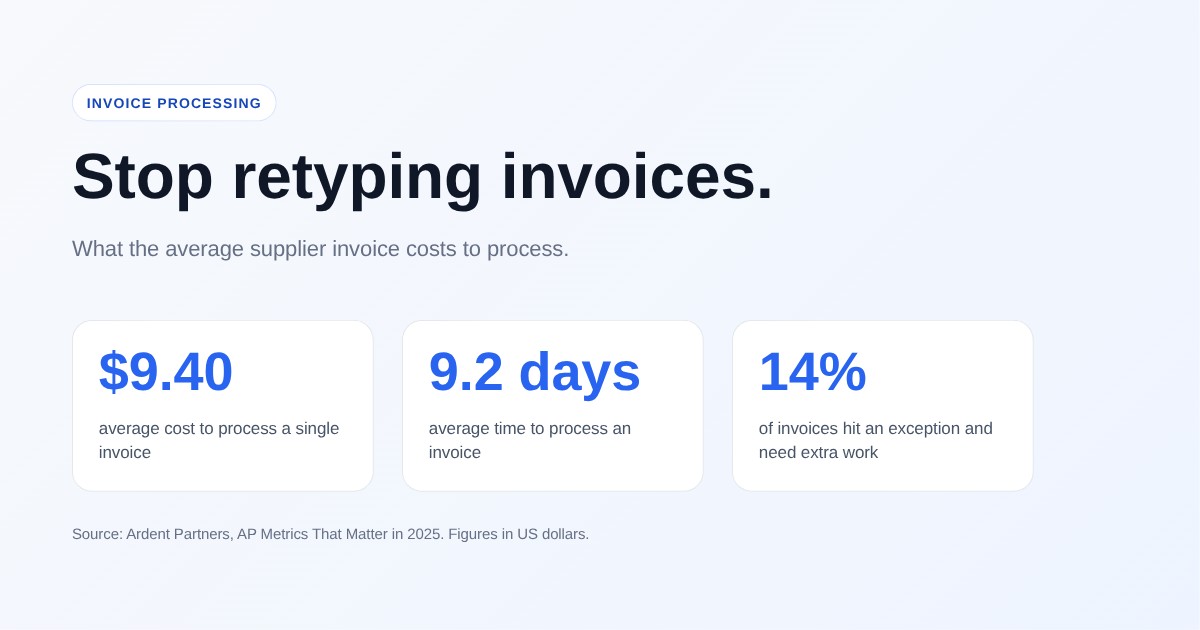
$9.40 The average cost to process one invoice. The best-run teams get it down to $2.78. | 9.2 days How long the average invoice takes to process from arrival. | 14% The average share of invoices that hit an exception and need extra handling. |
Those benchmarks come from Ardent Partners’ AP Metrics That Matter in 2025 report, a survey of accounts payable teams, with costs in US dollars. A small business won’t track its numbers the same way, but the pattern holds: the teams with the lowest costs are the ones that have automated the typing.
How it works
How does automated invoice processing work?
Automated invoice processing replaces the typing, not the decisions. A typical setup works in five stages:
01 Capture Invoices are collected automatically from an email inbox, a shared folder, uploads and scanned paper. | 02 Extract Software reads each invoice, whatever the layout, and pulls out the supplier, VAT number, invoice number, dates and amounts. | 03 Check Each invoice is checked. Anything incomplete or unusual is flagged for a person instead of being recorded blindly. |
04 Record The details are written to a spreadsheet such as Google Sheets, or exported as a CSV for your accounts software, and the original file is stored with the record. | 05 Track A dashboard shows what is due, what is overdue and what has been paid, so nothing is missed. |
Paper
What about paper invoices?
Plenty of suppliers still post invoices. You don’t need to type those in either. Scan them with a document scanner, ideally in a batch at the end of each day or week, and they can be read and processed in the same way as emailed invoices. A scanner with an automatic document feeder makes this a two-minute job.
Spreadsheets
How to extract data from PDF invoices to a spreadsheet
This is one of the most common questions small businesses ask, and there are three realistic options:
OPTION 1 Copy by hand Fine for a handful of invoices a month. Slow and error-prone beyond that. | OPTION 2 PDF converters Work when every invoice uses the same layout. They struggle when each supplier’s invoice looks different. | OPTION 3 AI extraction Reads any layout, maps the details into the same columns every time, and keeps your spreadsheet updated automatically. |
Excel or Google Sheets alone can’t read a PDF, so whichever spreadsheet you use, something has to do the reading first. That’s the job invoice processing software does. Rare² Invoice Processor, for example, updates Google Sheets automatically and produces clean CSV files that open in Excel or import into Xero, QuickBooks and Sage.
Step by step
How to automate invoice processing in five steps
- Choose one route in. Ask suppliers to email invoices to a single accounts address, and decide on one shared folder for everything else.
- Decide which details you need. Usually supplier, VAT number, invoice number, invoice date, due date, net, VAT and total.
- Set the rules for review. Decide what should always be checked by a person, such as a missing VAT number or an unfamiliar supplier.
- Pick where the records live. A Google Sheet or Excel spreadsheet is enough for many small businesses. If you use Xero, QuickBooks or Sage, plan to import the data as a CSV file.
- Run it alongside your current process for a month. Compare the results, fix any gaps, then switch over.
Worked example
A week of automated invoice processing
Here’s how a typical week looks for a small business once invoice processing is automated. The details are made up.
| Mon 8:14am | Emailed invoice A supplier emails a PDF to the accounts inbox. Within minutes it’s read, the details are extracted and a row is added to the Google Sheet. |
| Mon 11:30am | Shared folder A manager saves two invoices from a supplier portal into the invoices folder on their PC. It syncs to Google Drive, and both are picked up and processed. |
| Tue 4:00pm | Paper post The week’s paper invoices go through a document scanner in one batch and join the others in the register. |
| Wed 9:00am | Review queue One invoice is missing a VAT number, so it waits in the review queue with the reason. Someone checks it in two minutes. |
| Fri 3:00pm | What’s due The dashboard shows everything due in the next 14 days, ready for the payment run. |
Control
What to automate, and what to keep
Automate the parts that follow clear rules:
- Collecting invoices from email, folders, uploads and scans.
- Reading invoices and extracting the details.
- Recording each invoice in your spreadsheet.
- Filing the original with the record.
- Showing what is due and what is overdue.
Keep people in charge of approving payments, dealing with disputes and checking anything the system flags. Rare² Invoice Processor is built that way: it tracks payment status but has no bank connection and never moves money.
FAQ
Questions about automating invoice processing
How does automated invoice processing work?
Invoices are collected from wherever they arrive, such as an email inbox, a shared folder or a scanner. Software reads each one, extracts details such as the supplier, invoice number, dates and amounts, checks them, and records the results in a spreadsheet or accounts system. Anything that needs a person is flagged for review.
Can you automate invoice processing in Excel?
Not with Excel alone, because Excel can’t read a PDF or a scanned invoice. You need a tool that extracts the data from each invoice first. That tool can then produce a CSV file that opens straight into Excel, or keep a Google Sheet updated automatically.
How do I get invoice data into Xero, QuickBooks or Sage?
Export the extracted invoice data as a CSV file and use the import option in your accounting software. A clean, standard CSV with consistent columns avoids the formatting problems that often cause imports to fail.
How do I extract data from PDF invoices to a spreadsheet?
For a handful of invoices you can copy the details by hand. Converter tools work when every invoice uses the same layout. For invoices from many suppliers, an AI extraction tool that reads any layout and maps the details into fixed columns is the reliable option.
Can paper invoices be processed automatically?
Yes. Scan them with a document scanner, ideally in batches, and they can be read and processed in the same way as invoices that arrive by email.
Is automated invoice data extraction accurate?
Modern AI extraction reads most clearly printed invoices well, but no system is perfect. That’s why a good setup checks each invoice and sends anything uncertain to a review queue instead of recording it blindly.
Do I need accounting software to automate invoice processing?
No. Many small businesses keep a spreadsheet register of supplier invoices, and automation can keep that up to date. When you move to accounting software, the same data can be imported as a CSV file.
Stop typing in invoices
Rare² Invoice Processor reads supplier invoices from email, shared folders, uploads and bulk paper scans, extracts the details, flags anything that needs a person, keeps your Google Sheet up to date and exports clean CSV files for Xero, QuickBooks or Sage. It connects to Dropbox, Google Drive, OneDrive and Microsoft 365.
See Rare² Invoice ProcessorBook a free review